Showing posts with label a 12x12 digital scrap page using My Digital Studio software by Stampin Up. Show all posts

Friday, February 1, 2013

MDS 099 Bun in the Oven Scrapbook Page

According to my notes, this page idea came from DigitalScrapbooking Albums but I cannot seem to find it there now.  I made this page a long time ago, I should of wrote down more info about it.  I was quite pleased with how it turned out.
 
Paper: Noteworthy, Grad Party 7.
Stamps: Mistyped, Epic Overlays.
Punch: Blossom Party 2 and 3, Circle, Square, Flag, Oval, Fun Flowers 2 and 4, Star, Two Step Bird Branch.
Embellishments: Pool Party Printed Brads, Eyelet, Buttons.
Font: Pea Girly Girl size 28.
Page before adding photos.
 
Thankyou for stopping by.  Would love if you left me a Comment!  Hope you will join me for my next post or better yet, sign up to have my posts sent directly to your email. That can be done by clicking on Home and entering your email under Subscribe via email.

Friday, January 25, 2013

MDS 098 Where Magic Lives Scrapbook Page


Paper: Strength and Hope, Baja breeze.
Stamps: Now You’re Cookin, Bunch of Backgrounds.
Embellishments: Strength and Hope, Stitching.
Punches: Square, Circle, Decorative Label, Butterfly.
Font: Harrington size 52, Simply Glamorous size 44.
Page before photo's
 
Would love if you left me a Comment! Hope you will join me for my next post or better yet, sign up to have my posts sent directly to your email. That can be done by clicking on Home and entering your email under Subscribe via email.

Friday, January 18, 2013

MDS 097 Outside of Ordinary Scrapbook Page

I was so sure I got this idea from one of the Blog Hopper’s but I sure cannot find it!  If I come across it, I will update this post.  I did find the sketch - posted at the bottom.
 
Paper: Cottage Wall.
Stamps: Downtown Grunge, Cheerful Treat.
Embellishments: Downtown Grunge, Eyelet, Button, Taffeta Trimmings Long Bow.
Punches: Square, Scallop Edge, Tag, Get it Done, Corner, Tasteful Trim 3.
Font: Star Jedi Rough size 32.
Page before photo's
 
Hope you will join me for my next post or better yet, sign up to have my posts sent directly to your email. That can be done by clicking on Home and entering your email under Subscribe via email.

Friday, January 11, 2013

MDS 096 Surf's Up Scrapbook Page

Another 12x12 digital scrap page using My Digital Studio software by Stampin Up.  Today, we are back in Disneyland.  Well, not me exactly, it’s my daughter and her family and one of the over 100 pages that I somehow got conned into scrapbooking for her!  Anyways, it was fun scrapbooking for her.
 
Paper: Night and Day 10, Blooms, Villa, Stripe in Real red, Crushed Curry.
Stamps: School Days 11.
Embellishments: Button, Grosgrain Ribbon and Bow, Downtown Grunge.
Punches: Square, Circle, Scallop Circle.
Font: for Surf's Up is Walt Disney size 52.
Page without photo's
 
Thanks for stopping by!  Would love if you left me a Comment!  Hope you will join me for my next post or better yet, sign up to have my posts sent directly to your email. That can be done by clicking on Home and entering your email under Subscribe via email.

Friday, January 4, 2013

MDS 095 Ultrasound Scrapbook Page

Welcome to my 1st Friday Scrapbook Page for 2013.  I have posted a digital scrap page using My Digital Studio software by Stampin Up since March 2011 so if you are stuck for inspiration, try typing your words in the Search spot (top left corner) to see if I can help you out.
Also, just a reminder that it is Blog Hop Day – lots of digital inspiration there too!  Start with Erica Shaw then follow the girls!
This page was inspired from Digital Scrapbooking Albums.
 
This was a fun 12x12 page to do.  I started out with the First Edition DSP as my background then added the Torn Edges stamp to each side.  Sure gives it a ragged look eh??  I used the letter punches to type the word Ultrasound, color filled one in black and the other in the gray then laid the gray on top of the black.  I like the looks of that.
 
Paper: First Edition, Going Gray, Basic Gray, Lucky Limeade, Grad Party 5, Cherry Cobbler, Black.
Stamps: Cheerful Delight, Torn Edges.
Punch: Circle, Square, Blossom Party 3, Timeless Type Junior Letters.
Embellishments: Lucky Limeade Printed Brads.
 
Page without photo's
 
Hope you liked it.  Would love if you left me a Comment!  Hope you will join me for my next post or better yet, sign up to have my posts sent directly to your email. That can be done by clicking on Home and entering your email under Subscribe via email.

Friday, November 30, 2012

MDS 090 May Your Season Scrapbook Page

Page before adding Photo boxes.
A digital scrap page using My Digital Studio software by Stampin' Up!.

MDS Blog Hop happens every Friday!  Start with Heather Summers and go from there!  You will enjoy it too!

Kind of followed this beautiful layout that Yvonne has on the MDS site.

Background - PACIFIC POINT.

Embellishments - Designer Kits\Christmas Jingle - elements - stitched square, Designer Kits\Hoppy Memories - border 9, Other Ribbon\ribbon - alpine – bow and knot, Designer Kits\Christmas Jingle - tag 1.
This is a 12x12 page.

Stamps - Vintage Overlay - texture 3 REAL RED, Holiday Blitz - star YOYO YELLOW, Calendar Basics Kit - gift REAL RED, Tree Trimmings - ornament 1 YOYO YELLOW, Tree Trimmings - ornament 2 , 3,  CHOCOLATE CHIP, Jolly Bingo Bits - ball, Jolly Bingo Bits - bell YOYO YELLOW, Jolly Bingo Bits - small bell CHOCOLATE CHIP, Tree Trimmings - ornament 1 YOYO YELLOW, Tree Trimmings - ornament 2, Tree Trimmings - ornament 3 CHOCOLATE CHIP, Tree Trimmings - ornament 2, Tree Trimmings - ornament 1 CHOCOLATE CHIP, Tree Trimmings - ornament 3 YOYO YELLOW, Tree Trimmings - string, Tree Trimmings - string CHOCOLATE CHIP, Tree Trimmings - string YOYO YELLOW.

Punches - 1.25 Square Punch (PACIFIC POINT).

Watch for NEW Scrap Pages posted every Friday.


christmas front-001
Yvonne’s page.


Friday, November 23, 2012

MDS 089, Define Good Scrapbook Page

Page before adding Photo boxes.
A digital scrap page using My Digital Studio software by Stampin' Up!.

Recently found a MDS Blog Hop site that happens every Friday!  Start with Heather Summers and go from there!  You will enjoy it too!

Kind of followed this beautiful layout by Tammi.  Cute eh??

Background - Card Stock - Textured Card Stock - Real Red.

Embellishments - Christmas Jingle - elements - square tag 3, berries 2, berries 1, circle 1.
This is a 12x12.

Punches - Pinking Hearts Border Punch (White), Square Punch (White, Black), Pinking Hearts Border Punch (White), Rounded Corner Punch (More Mustard, Black), Word Window Punch (More Mustard).

Watch for NEW Scrap Pages posted every Friday.

Santa Suit Photo Card
card by Tammi
 

Friday, November 16, 2012

MDS 088, Classic Scrapbook Page

Page before adding Photo boxes.
A digital scrap page using My Digital Studio software by Stampin' Up!.

MDS Blog Hop happens every Friday!  Start with Heather Summers and go from there!  You will enjoy it too!

Hmmm … I didn’t mark the layout that inspired this page!  I’m sure I would have started out with someone’s idea but I don’t know whose it was!

Background - Designer Kits Noteworthy - pattern 6.

Embellishments - Early Espresso Grosgrain Ribbon.

Stamps - Jolly Bingo Bits - holly ALWAYS ARTICHOKE, Jolly Bingo Bits - flower, Tres Chic – classic ALWAYS ARTICHOKE.
This is a 12x12 page.

Punches - 1.25 Square Punch, Top Note shape CHERRY COBBLER, Jewelry Tag Punch WHISPER WHITE.

Watch for NEW Scrap Pages posted every Friday.

Friday, November 9, 2012

MDS 087, Fill the Season with Smiles Scrapbook Page

Page before adding Photo boxes.
My Digital Studio Software by Stampin' Up!

MDS Blog Hop happens every Friday!  Start with Heather Summers and go from there!  You will enjoy it too!

This page was inspired from Candy’s Christmas layout off the My Digital Studio.net site.

Paper: Deck the Halls 4 (background).

Stamp Brush Sets: Christmas Collage (Espresso).

april7.3-001
Page by Candy Blake.
Embellishments: Crochet Trim Ribbon and Knot (Chantilly); Christmas Jingle Tag; Antique Brad 4.
This is a 12x12 page.

Punches: Square – 3x10.5” (Deck the Halls 2 and 3); Decorative Label (Deck the Halls 1); Circle (Noteworthy 6) and (Deck the Halls1).

Watch for NEW Scrap Pages posted every Friday on my Blog.
 

Friday, November 2, 2012

MDS 086, Santa Brings Cheer Scrapbook Page

Page before adding Photo boxes.
A digital scrap page using My Digital Studio software by Stampin' Up!.

Recently found a MDS Blog Hop site that happens every Friday!  Start with Heather Summers and go from there!  You will enjoy it too!

I really enjoyed this page of Corina’s so I CASE’d it.

Paper: Deck the Halls 1.

Stamp Brush Sets: Old Saint Nick.

Embellishments:  Grosgrain Bow.

Punches: Square (Deck the Halls 2); Top Note (Deck the Halls 2); Decorative Label (Cherry Cobbler); Wide Oval (Very Vanilla).
This is a 12x12 page.

Watch for NEW Scrap Pages posted every Friday.
 
Christmas 2010-013
Corina’s page


Friday, August 26, 2011

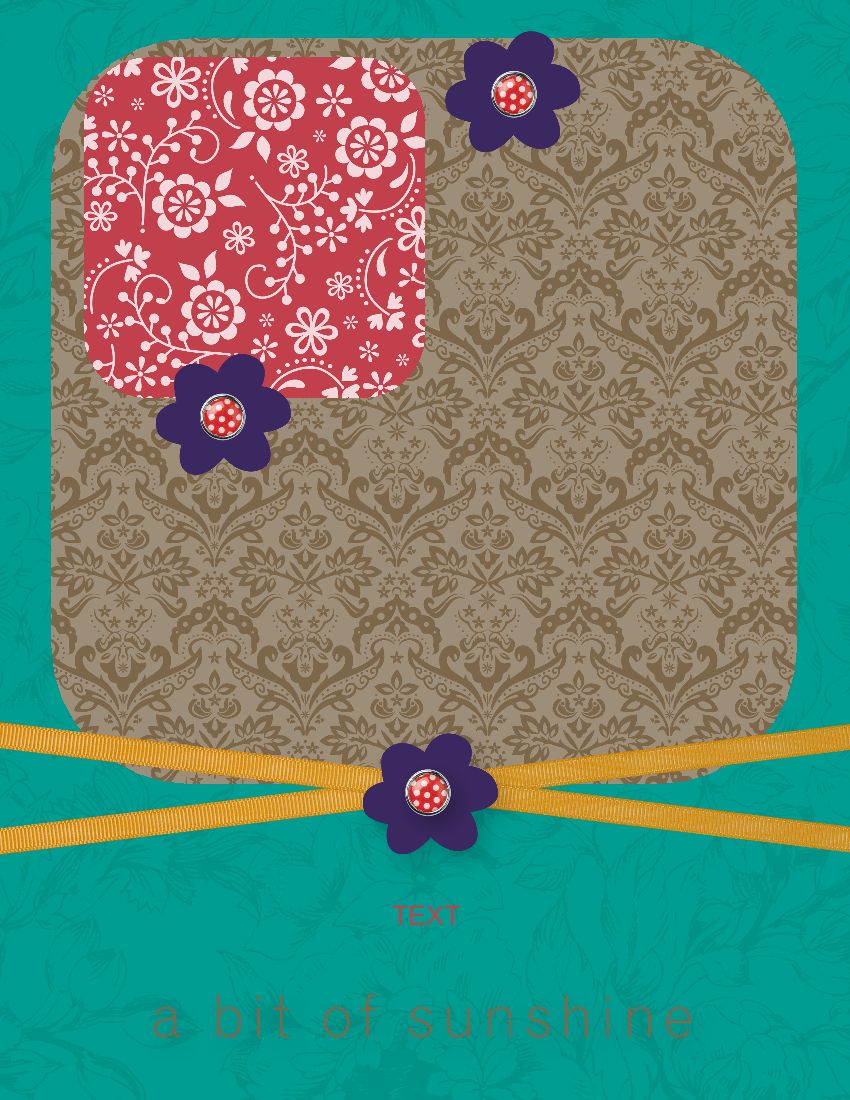
MDS 026 A Bit of Sunshine Scrapbook Page

Today, we are rounding the corners of our pictures by putting a picture in the rounded corner punch first.  This works with any of the punches but I will keep it simple.
If you have just stumbled on my Blog, type ‘MDS Scrap Page’ in the Search Box (top left corner) to see what we have been doing.  I am using Windows 7 so you may need to click on HELP (across the top of the program), My Digital Studio Help if you are using a different Windows than me.   Watch for NEW Scrap Pages posted every Friday.

Background paper - Designer Series Paper – Designer Kits – My Sweet Pea – 17.
Punch – rounded corner punch – grab a corner & resize to fit the top of your page – paper fill – Brocade Soft Suede.
Embellishment – grosgrain ribbon – More Mustard – rotate about 7 – repeat for another one at minus 7 rotation.
Punch – rounded corner punch – grab a corner and resize to what you want your photo to be - paper fill – Blooms Riding Hood Red (this can be any DSP but if you are following along, it is easier to understand if I pick the paper for you) – copy and paste to make a total of four to fit our Soft Suede Background.  To add your pictures, double click on one punch – Punch Image Editor opens – click on Replace Image – choose your picture – repeat for the other three punches.  Mat in Real Red.

Stamps – Chat Room Baby – Sunshine - change color – Soft Suede.
Stamps – Good Friend - flower - change color – Concord Crush – Drop Shadow.
Embellishment – Sending Love Epoxy Brads – place on top of flower – Align – middle – Drop Shadow.   Click on brad, hold shift key & click on the flower – Arrange – Group.  Now you can move it around without it coming apart.  Copy & paste to make two more.

Friday, August 19, 2011

MDS 025 New Baby Scrapbook Page

If you have just stumbled on my Blog, type ‘MDS Scrap Page’ in the Search Box (top left corner) to see what we have been doing.  I am using Windows 7 so you may need to click on HELP (across the top of the program), My Digital Studio Help if you are using a different Windows than me.   Watch for NEW Scrap Pages posted every Friday. 
 
I really liked this card so thought I’d try and copy it for a scrap page.  This lady has a great Tutorial on her Blog so I’ll just get you to follow what she did rather than type it all out.  With a little practice, I’m sure I could get as good as hers!  Here is a list of what I used on my page:

Cardstock – So Saffron, Tempting Turquoise, Very Vanilla.

Stamps – Torn Edges (hand torn) - shadowed with Night of Navy, Fundamental Phrases, Nursery Necessities, Holiday Blitz.

Embellishment – brads – Night of Navy.
Punch – square.

Friday, August 12, 2011

MDS 024 It’s All in the Detail Scrapbook Page

If you have just stumbled on my Blog, type ‘MDS Scrap Page’ in the Search Box (top left corner) to see what we have been doing.  I am using Windows 7 so you may need to click on HELP (across the top of the program), My Digital Studio Help if you are using a different Windows than me.   Watch for NEW Scrap Pages posted every Friday. 
 
Background paper – cardstock – Textured Cardstock – Kiwi Kiss.

Punch – Scallop Trim Border – color fill – White.

To make this wider:

Punch – square – stretch into a rectangle to fit the border punch - color fill – White.  Drag another Scallop Trim Border.  Place on top of the white – chane color – Pumpkin Pie.  Repeat with the square punch to make this wider.  Add another scallop in Tempting Turquoise & Real Red.  Repeat with the square punch to make each one wider. 
This is an 8.5x11 portrait page.
Embellishment – Designer Kits – Hoppy Memories – borders – 1 – rotate.

Punch – square – color fill – White - enlarge to make a mat for your pictures.

Embellishment – Designer Kits – Hoppy Memories – labels – 1 – rotate.  Also add label 7.

Embellishment – Designer Kits – Hoppy Memories – tags – 1.

Embellishment – Designer Kits – Hoppy Memories – elements – details.  Also add heart.

Embellishment – grosgrain ribbon – chocolate chip.

Embellishment – grosgrain ribbon – bow - chocolate chip.

Friday, July 22, 2011

MDS 021 Celebrate You Scrapbook Page

Here is a very delicate page.
If you have just stumbled on my Blog, type ‘MDS Scrap Page’ in the Search Box (top left corner of my Blog) to see what we have been doing.  I am using Windows 7 so you may need to click on HELP (across the top of the program), My Digital Studio Help if you are using a different Windows than me.   Watch for NEW Scrap Pages posted every Friday.
Background paper – color – Wild Wasabi.
Background paper - Designer Series Paper – Designer Kits – Springtime Vintage – 7 - Add as Page Layer.  Double click & resize to about 7.5x11.5 inches.  Place to the right, up to the bleed area.
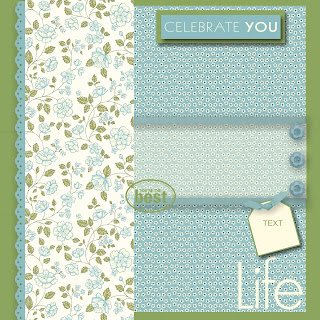
Page before adding Photo boxes
Punch – square – resize to make a rectangle about 3” long by the width of the DP - color fill – very vanilla – Opacity (bottom right) to 40.  It now looks like a piece of vellum.
Embellishment – grosgrain ribbon – Baja Breeze times two – Drop Shadow – Opacity 65, Blur medium.

Punch – square – resize into a rectangle to cover ribbon ends – color fill - Wild Wasabi.  Repeat for another one.

Background paper - Designer Series Paper – Designer Kits – Springtime Vintage – 4 - Add as Page Layer.  Double click & resize to about 4”x12”.
Stamps – Torn Edges – eyelet border – rotate - change color – Baja Breeze.
To have just a little edge of the eyelet border showing, click on the Springtime Vintage 4 pattern – Arrange – Order – Bring to Front.

Embellishment – button bouquet – Baja Breeze 2, times 3– Drop Shadow – Opacity 65, Blur medium.  Click on one button.  Hold your shift key down & click on the other two – Align (in the Toolbar across the top) – right.

Stamps – Greatest Moments 11 – Life - change color – Very Vanilla.

Stamps – Greatest Moments 11 – You’re the Best - change color – Wild Wasabi.

Punch – square – resize to a rectangle - color fill – Wild Wasabi – Drop Shadow – Opacity 65, Blur medium.

Punch – square – resize to fit on top of Wild Wasabi rectangle - color fill – Baja Breeze – Drop Shadow – Opacity 65, Blur medium.

Stamps – A Little Birthday Cheer – Celebrate You - change color – Very Vanilla – resize a bit bigger.  Set on top of the Baja Breeze rectangle.  Resize the rectangles to fit the stamp.  Once you are happy with the layer, click on each rectangle & the stamp – Arrange – Group.  Now you can move it around without it coming apart.

Punch – Tag – rotate to minus 15 - color fill – Very Vanilla – mat – Wild Wasabi - Drop Shadow – Opacity 65, Blur medium.

Embellishment – grosgrain knot – Baja Breeze – rotate – Drop Shadow – Opacity 65, Blur medium.

Friday, July 15, 2011

MDS 020 Birthday Hugs & Wishes Scrapbook Page

A birthday page for my grandson!

If you have just stumbled on my Blog, type ‘MDS Scrap Page’ in the Search Box (top left corner) to see what we have been doing.  I am using Windows 7 so you may need to click on HELP (across the top of the program), My Digital Studio Help if you are using a different Windows than me.   Watch for NEW Scrap Pages posted every Friday. 
 
Background paper - Designer Series Paper – Designer Kits – Play Date – 9.

Background paper - Designer Series Paper – Designer Kits – 2 - Add as Page Layer.

Embellishment – Designer Kits – Play Date – borders – 5.

Punch – browse – Labels & Tags – Top Note - resize - color fill – Kraft - mat – Chocolate Chip.  Repeat for a smaller one.
Page before adding Photo boxes.

Punch – Tag – color fill – turquoise - mat - Chocolate Chip. 

Stamps – Hugs & Wishes – birthday - change color – Chocolate Chip. 

Embellishment – grosgrain knot – Kraft – rotate.

Embellishment – Designer Kits - Play Date – Quick Accents – class schedule.  Cover up the word ‘class schedule’ with an arrow.

Embellishment – Designer Kits - Play Date – numbers for the year.

Insert > Insert Duplicate Page Mirrored to easily make a double page spread or just bump it forward for another layout.   Again, watch for a NEW Scrap Page posted next Friday.

My Digital Studio Catalog PDF catalog will be updated every month and is available to you on MyDigitalStudio.net  under Resources.   If you have not ordered your copy of My Digital Studio yet or if you would like to order anything from the catalogue, just click on the On Line Ordering button in my left sidebar and your order will be mailed directly to you!   Downloads will go to your computer automatically.

Related Posts Plugin for WordPress, Blogger...